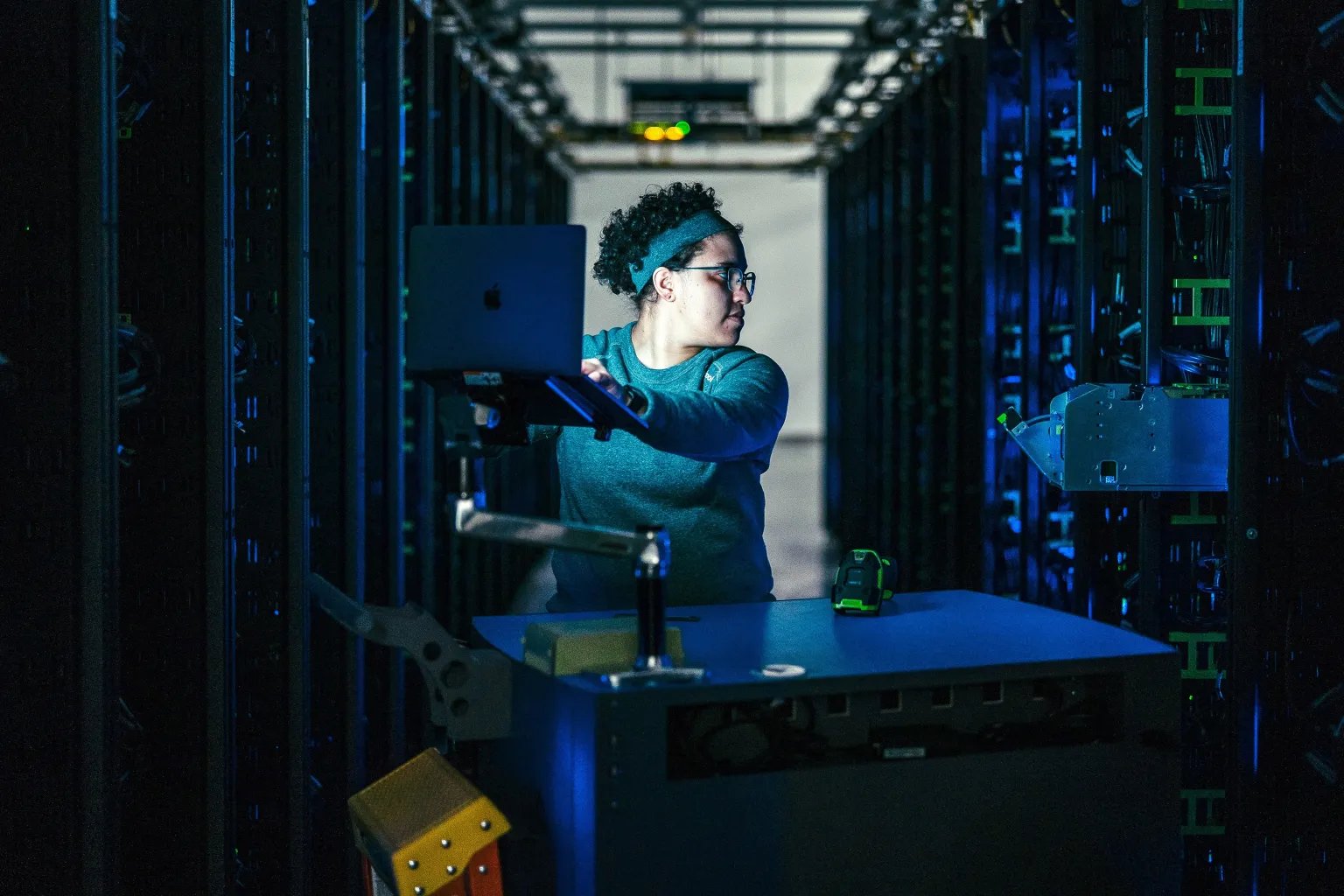
Meta's data centers keep Facebook, Instagram, and WhatsApp running for billions of people. I helped design Repair Console, a new internal platform to make server repair operations faster, more consistent, and scalable across the world.

My team was brought in to redesign how repair operations worked across Meta's global data centers. Every hour a failed server stayed offline was compute capacity unavailable to Meta's products, and with AI workloads growing rapidly, that cost was rising. The process was fragmented, knowledge was siloed, and the system was increasingly unable to scale. I led design for the repair authoring and execution workstream: the part of the platform that determined how technicians actually diagnosed and fixed problems.
Meta had 7 separate repair ticketing systems, maintained by 7 separate engineering teams spread across the world. Each was built in isolation, with no visibility across them.
"We realized there was a manufacturing problem with chips and identified almost 11,000 bad DIMMs around the world. It took a year to identify the trend, and another year to replace them."
— Repair triage engineer, user interviewI supported our lead researcher with interviews, observations, and ticket analysis across Dublin, Berlin, Bay Area, Singapore, and Austin, over 40 people in total, spanning network engineers, repair technicians, team leads, and on-site operators. Despite different regions and roles, every person we talked to was struggling with the same core issues.
To make sense of what we'd heard, the researcher and I synthesized the interviews and identified three distinct behavioral patterns in how people approached repair work. Rather than mapping to job titles, these patterns cut across teams — a network engineer and a data center lead might both behave like a Pattern Finder, depending on the day. Defining these personas gave the whole team a shared language for who we were designing for, and made it much easier to pressure-test design decisions against real user needs.
The personas helped us understand how different people worked. But regardless of which persona we were talking to, the same four systemic problems kept surfacing — not as isolated complaints, but as symptoms of the same broken environment.
The same failure fixed in Dublin was reinvented from scratch in Singapore the following week. No way to share solutions across teams.
Technicians spent most of their time not repairing, but figuring out where to start. Runbooks were generic, outdated, and scattered.
Repair history lived across tickets, wikis, messages, and people's heads. When someone left the team, their knowledge left with them.
"We've changed our process 10 times since you last interviewed us." Documentation was increasingly ignored.
The four pain points pointed to a common root cause: teams were working in isolation, knowledge wasn't being captured, and nothing was built to scale. Before moving into ideation, I ran a working session with the broader design and product team to translate those findings into design principles: filters we'd run every decision through.
Break down siloed work. Give teams a view of the entire repair ecosystem, not just their corner of it.
Turn expertise in people's heads into structured, reusable processes the whole system can learn from.
Let repair experts evolve workflows themselves, without needing engineering support every time.
I facilitated a series of workshops with engineers, repair technicians, PMs, and subject matter experts, drawing on each discipline's perspective deliberately. Engineers helped us understand what was technically feasible without a full rebuild. Repair technicians told us which pain points cost them the most time. SMEs helped us understand the depth of knowledge we'd need to capture before any of it could be systematized.
We used a mix of whiteboarding, sketching, and dot-voting to generate and narrow down concepts, giving everyone a voice before converging on what to explore further. Two ideas kept rising to the top.
We prototyped early and tested on-site at Meta's data centers. Our first global dashboard was too broad; users were overwhelmed.
"I don't need to see what's happening everywhere. I need to know what I'm working on today."
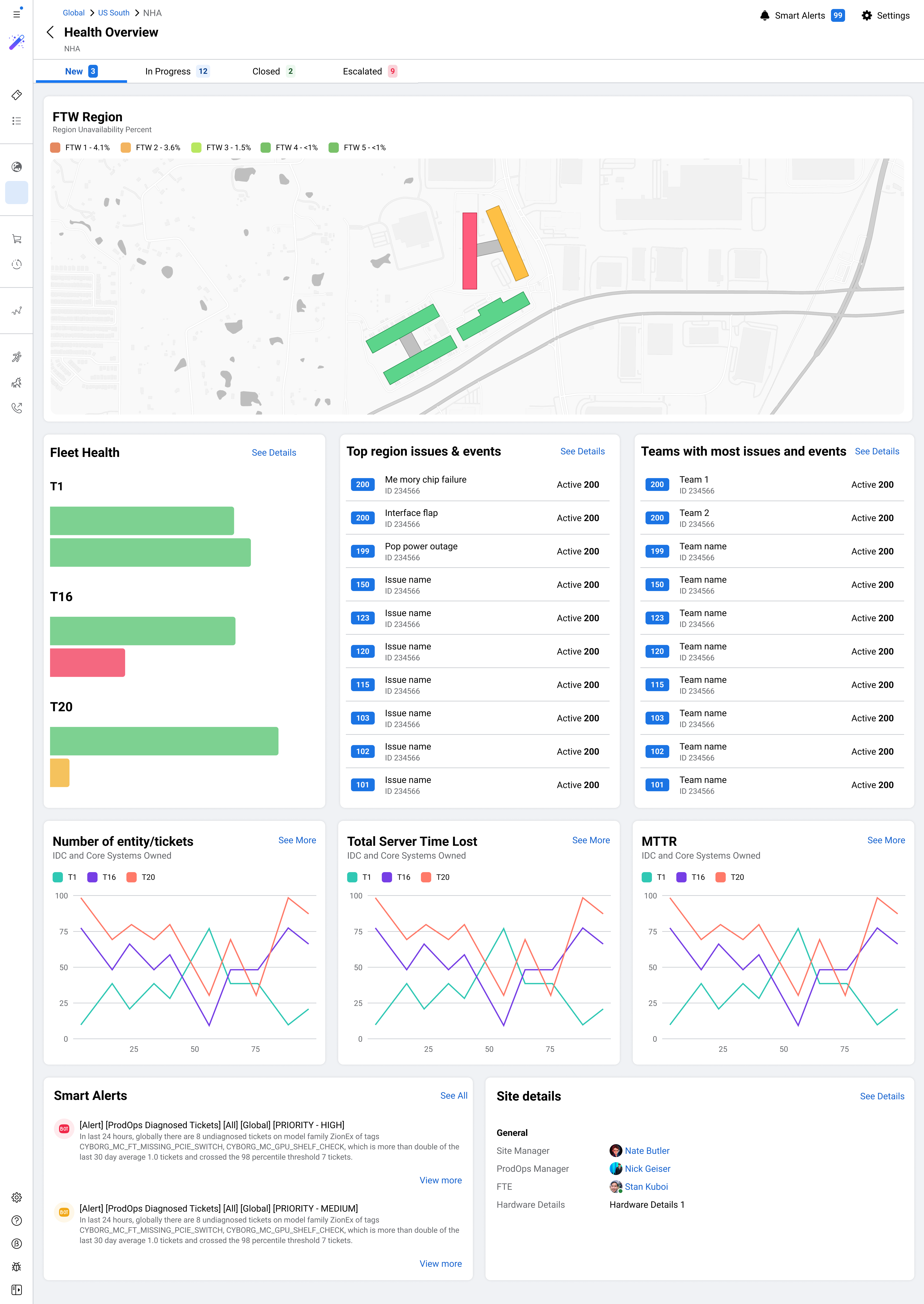
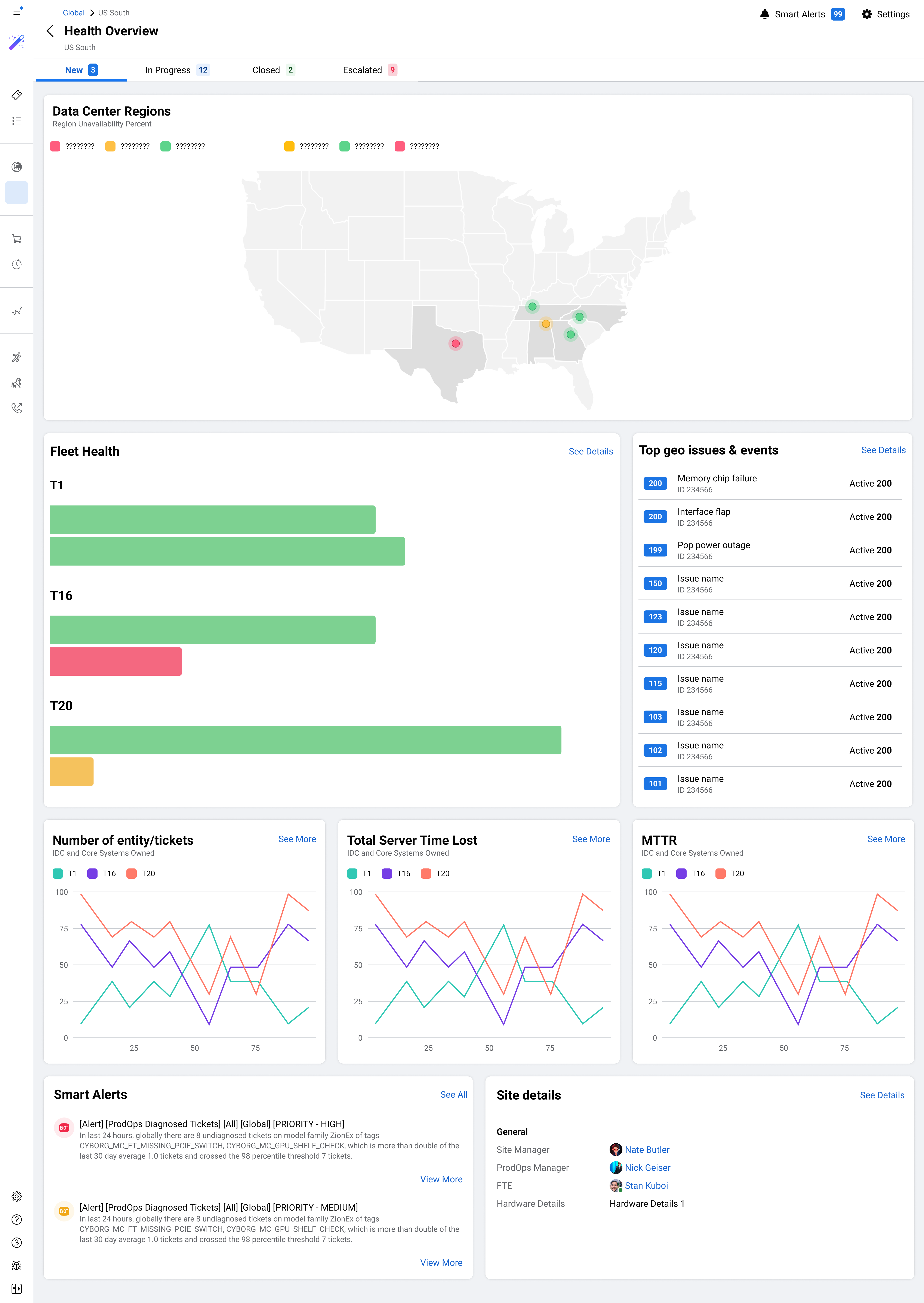
— Repair technician, on-site testing sessionWe pivoted to a hierarchical view (global, regional, and site-level), letting each user type zoom to the right scope. Meanwhile, the Action Plans format went through four rounds of iteration, each one surfacing a new constraint we hadn't anticipated. The biggest tension throughout was flexibility versus structure: plans needed to handle genuinely complex, branching repairs while still being consistent enough to track and eventually automate.
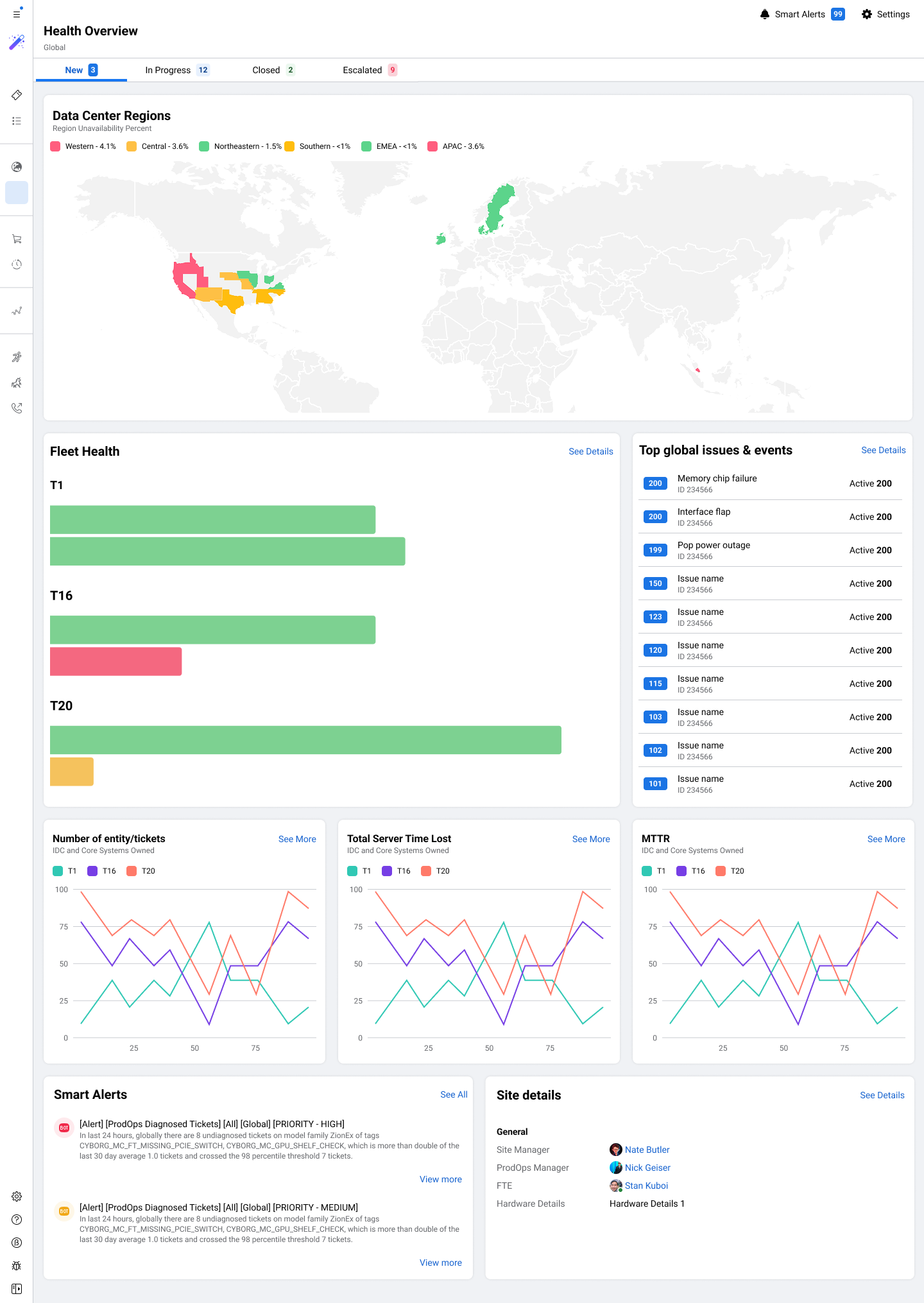
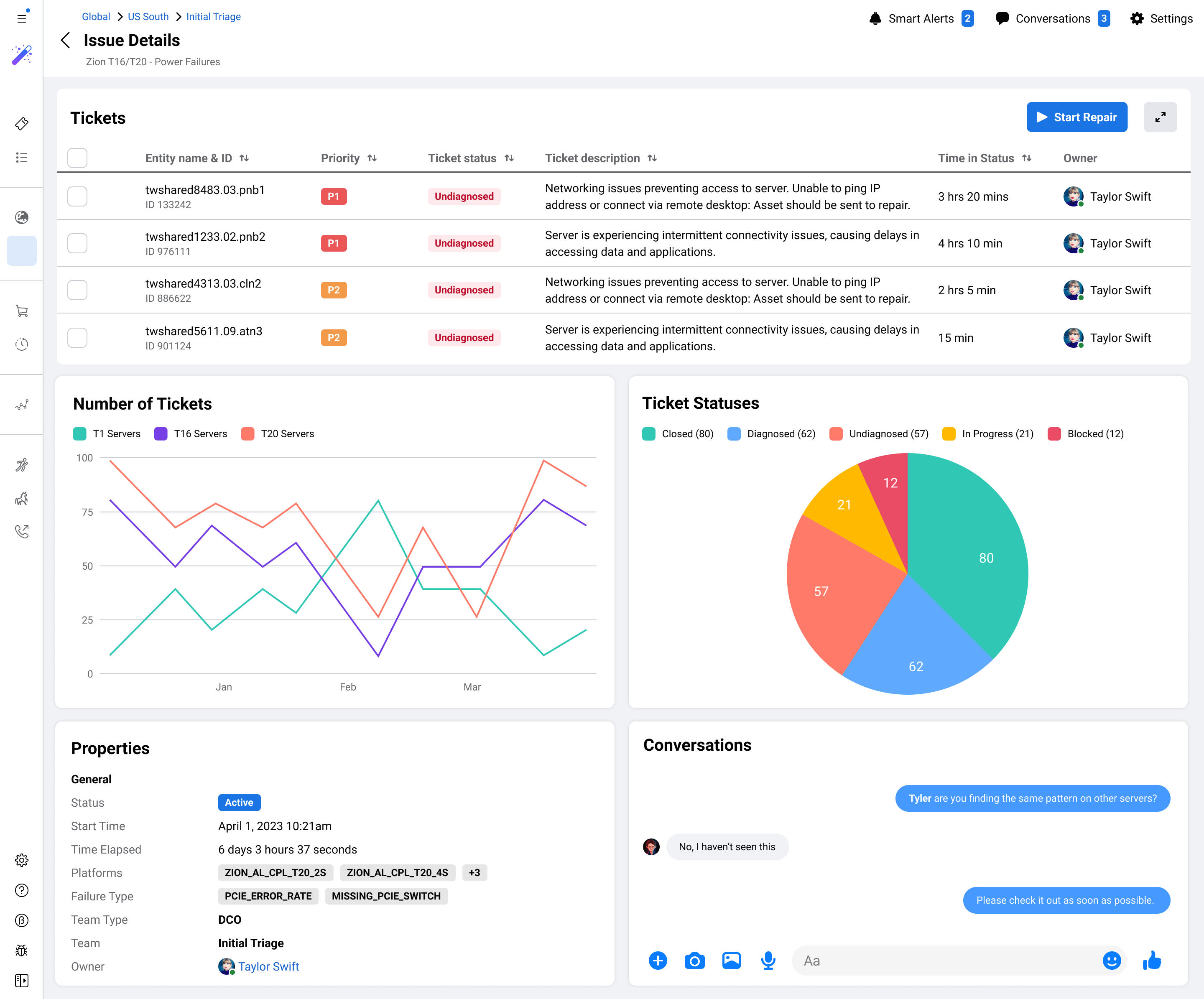
Repair Console brought three surfaces together for the first time, each designed for a specific user persona, all drawing from the same underlying data.
Designed for team leads who needed situational awareness across their fleet. Three progressive zoom levels let each user type see exactly the right scope: global trends, regional patterns, or a single campus.
Designed for diagnostic techs who needed to see the bigger picture. Similar failures are automatically grouped into a single Issue, letting teams diagnose once and repair in bulk rather than working ticket by ticket.
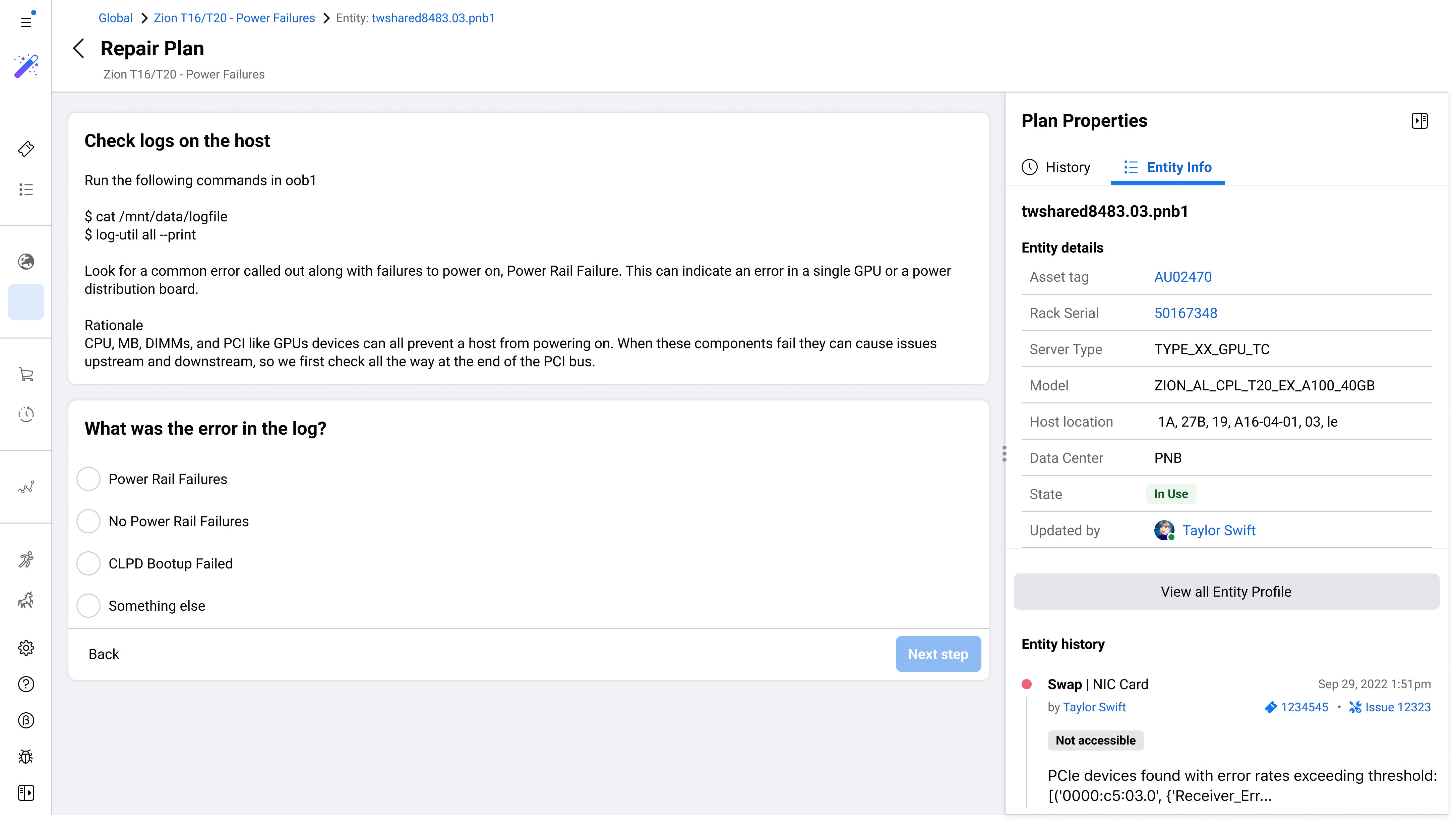
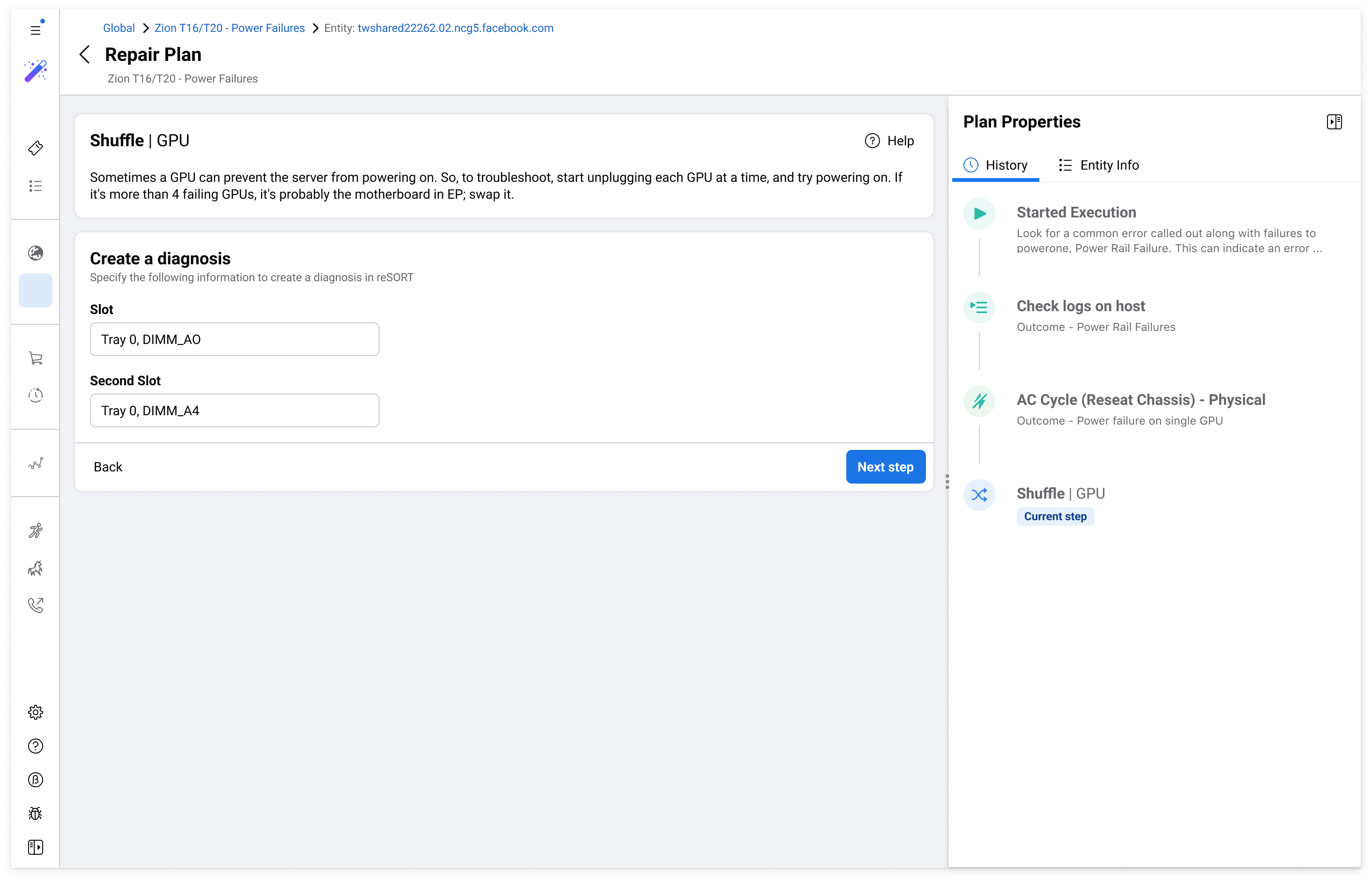
Designed for on-site repair techs who needed clear, unambiguous instructions. A branching tree format routes technicians to the right next step based on what they find, with full action history tracked in the right panel throughout.
We measured performance across teams using Repair Console against teams still on legacy tools. These were the key outcomes.
The numbers tell part of the story. The bigger shift was less visible: for the first time, teams across different regions and functions were working from the same data, using the same processes, and building on each other's knowledge rather than starting from scratch. The DIMM defect that once took years to surface would now be detectable in weeks. That kind of compounding improvement is what the platform was really designed for.
We designed the global dashboard for an idealized user, not the real one. On-site testing surfaced this quickly, but we got there too late. Earlier field research would have saved weeks.
Keeping alignment across Dublin, Berlin, and San Francisco required short weekly syncs I hadn't planned for. Once established, they became one of the most valuable parts of the process.
Powered by green tea and a passion for creating new things.